📢 How to Confirm a Validated E‑Invoice from a Vendor
🧾How to Confirm a Validated E‑Invoice from a Vendor
A QR code on an invoice is not automatically proof of validation. Businesses must understand the different QR code types and always confirm authenticity through the LHDN portal
📊 Comparison of QR Code Types
QR Code Type
What It Does
Buyer’s Action
Status
✅ Validated E‑Invoice QR Code
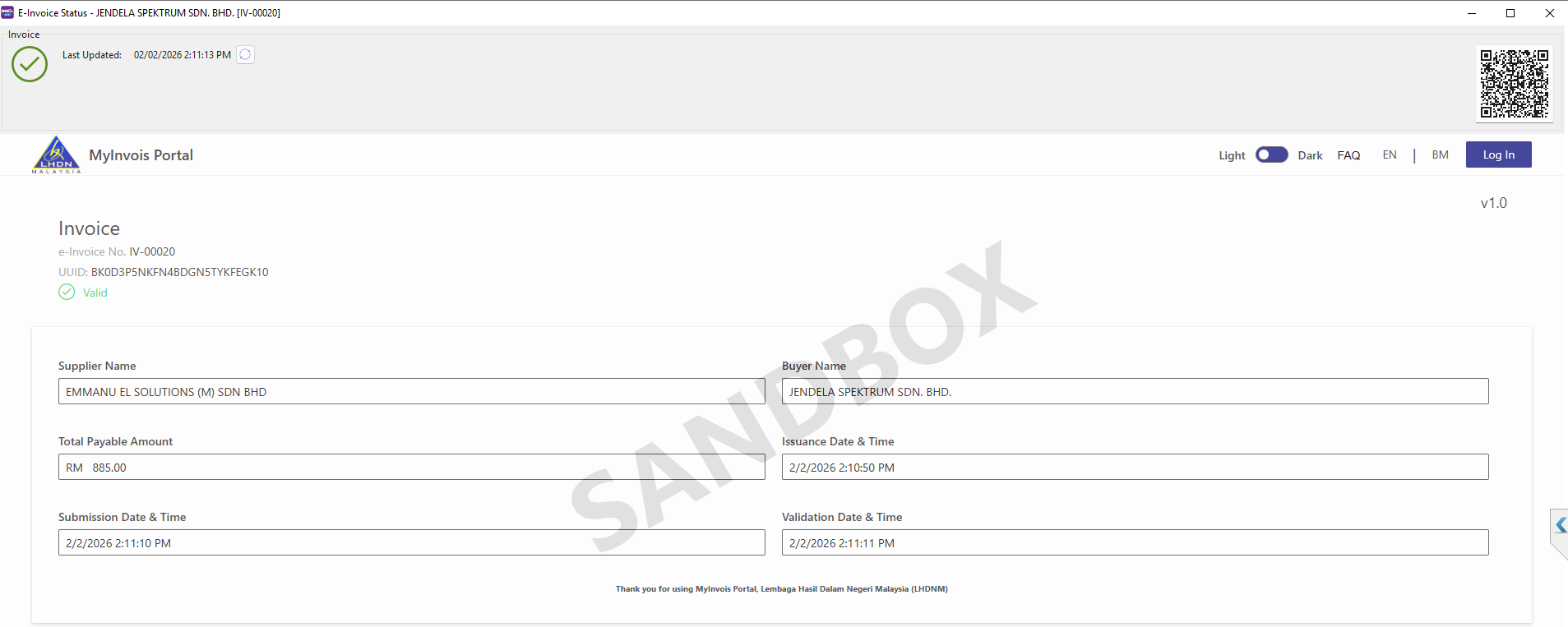
Issued after vendor submits invoice to LHDN. Contains a UUID (Universally Unique Identifier) generated by LHDN.
Scan QR → see UUID → confirm via LHDN portal.
Already validated
🔗 QR TIN (Vendor POS Portal)
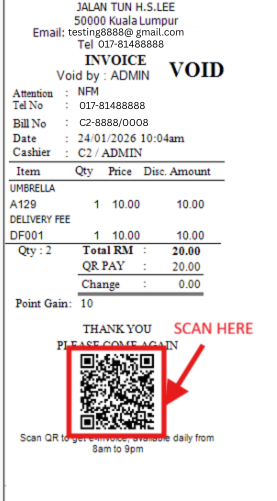
Leads buyer to vendor’s POS portal (bill info + vendor details pre‑filled). Buyer enters own company info → system forwards to LHDN.
Fill in company info → Submit → LHDN issues validated e‑invoice with UUID.
Needs submission
⚠️ Vendor QR Code (Form/Website)
Redirects to vendor’s Google Form or website. Buyer enters info, but no direct link to LHDN. Vendor later submits on buyer’s behalf.
Enter info → wait for vendor to send validated e‑invoice with UUID.
Wait for vendor
🔍 What is UUID?
🆔
UUID (Universally Unique Identifier) is a 128‑bit unique code generated by LHDN for every validated e‑invoice.
👆
It acts like a digital fingerprint for the invoice—no two invoices share the same UUID.
🛡️
When you scan a validated e‑invoice QR code, you should see the UUID displayed.
✅
This UUID can then be checked against the LHDN portal to confirm the invoice is genuine and officially validated.
🛠️ How to Verify Properly
1
Scan the QR Code
✅
If UUID appears → It is a validated e‑invoice.
👇 Validation Process Example (Click to Enlarge) 👇
1. Scan Invoice QR
➜
2. See Success on Portal
🔗
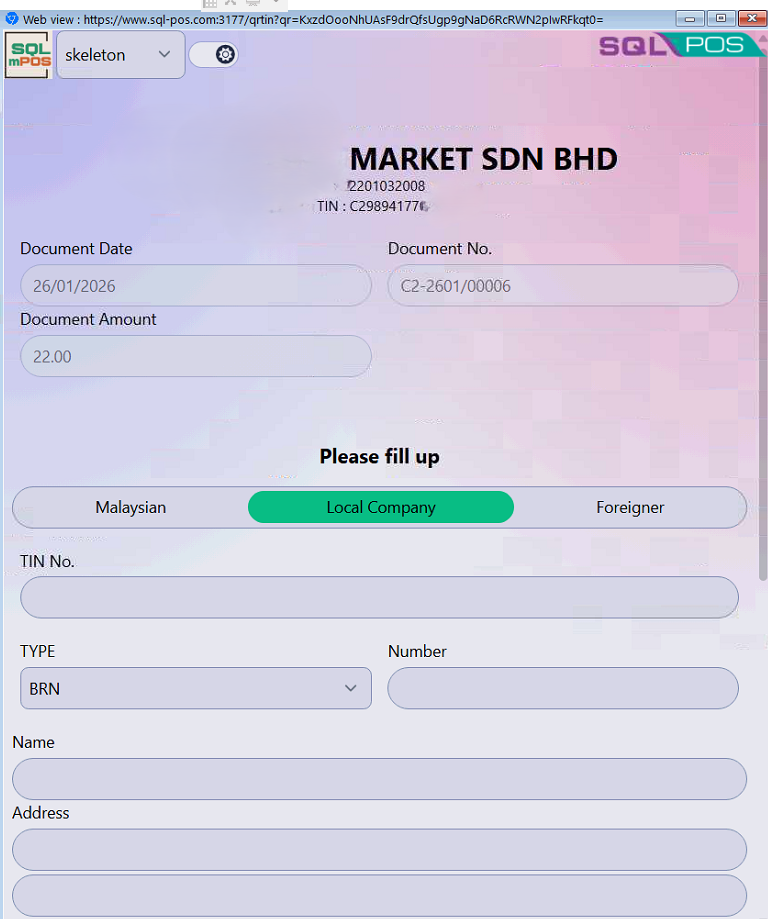
If vendor POS portal opens → QR TIN, the buyer must self‑submit to obtain a validated e-Invoice.
👇 QR TIN Process Example (Click to Enlarge) 👇
1. Receipt with QR TIN
➜
2. Buyer fills & submits
⚠️
If vendor form/website opens:Not validated yet.
2
Check UUID on LHDN Portal
●Log in to the official LHDN e‑invoice portal.
●Enter the UUID to confirm authenticity.
●This ensures the invoice is truly validated and protects against fraud.
🚀 Why SQL Systems Make It Easier
SQL POS
✓Generates QR TIN directly from POS system.
✓Perfect for retails & F&B businesses where buyers can instantly self-submit to LHDN and obtain a validated e-invoice with UUID.
✓Speeds up daily compliance and reduces manual handling.

(1).png)

 Vietnam