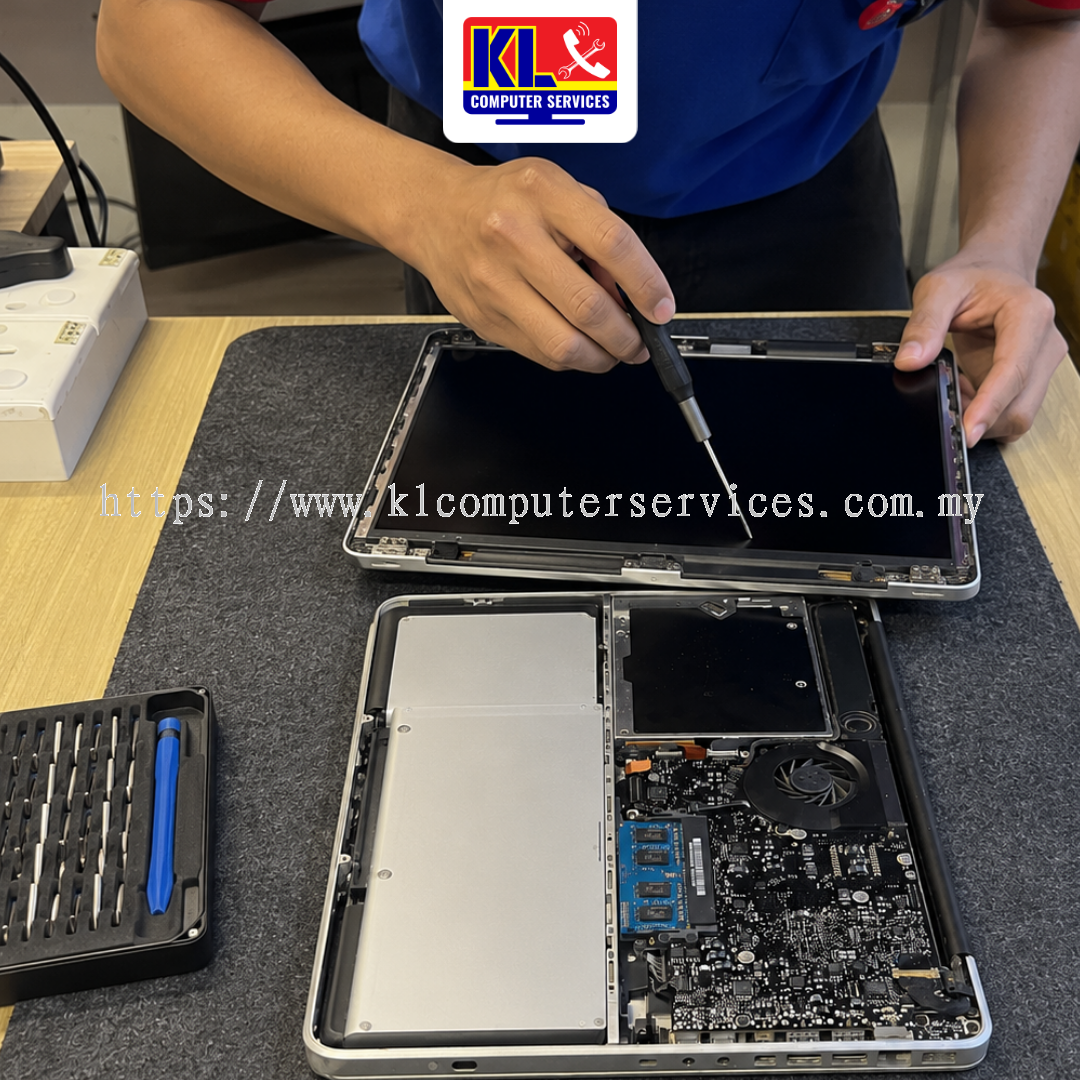
MacBook screen cracked and you’re certain it was never dropped? You’re probably right. MacBook LCD panels are built thinner and far more sensitive than most people realise, which means it doesn’t take an accident to crack one. KL Computer Services (KLCS) provides professional MacBook LCD diagnosis and replacement, part of our wider MacBook repair services, across four branches in Kuala Lumpur, including a Setapak branch serving Gombak residents directly, every single week.
We check the panel, the keyboard area, and how the laptop has been carried before quoting anything, all explained to you in plain terms first. WhatsApp or drop by any of our branches in Setapak, Jalan Klang Lama, Cheras Pandan Jaya, or Ampang Pandan Indah for a quick assessment. Customers from Gombak are just a short drive from our Setapak branch.
Our MacBook screen service covers all the common ways a thin, sensitive panel gets damaged, across our walk-in customers in Danau Kota, Kuchai Lama, Pandan Jaya, Pandan Indah, and Gombak. If your laptop shows any of the following, it usually points back to pressure rather than an actual drop.
Most people assume a cracked screen means the laptop was dropped, bent, or mishandled, but MacBook displays are far more delicate than they look. Newer models are built with very thin LCD panels and almost no gap between the keyboard and the screen when the lid is closed. That slim design keeps the laptop light, but it also means the panel has very little material to absorb pressure.
Two everyday habits cause most of the cracks we see. The first is a small object left on the keyboard, a stone, a coin, a bead, even a crumb, which presses directly into the panel the moment the lid shuts, no unusual force required. The second is how the laptop is carried: stacking heavy books on top of a closed MacBook, or squeezing it into a tightly packed bag, flexes the lid just enough for the internal glass layer to shatter. Customers around Setapak, Gombak, Kuchai Lama, Cheras, and Ampang who get their screen checked promptly get a clear answer instead of an argument about what “really” happened. For a related read on another common MacBook issue caused by everyday handling, see our article, MacBook Battery Draining Fast? Understanding the Causes and Solutions.
How you handle a cracked or flickering screen right after noticing it can prevent the damage from getting worse. Avoid these common mistakes.
Not sure if your MacBook needs a simple panel repair or a full assembly replacement? Check our FAQ page, or contact us directly and our technicians will guide you.
Whether you’re dropping by from Taman Melati, OUG, Pandan Perdana, or Taman Nirwana, our technicians will walk you through the diagnosis clearly. If you cannot visit us in person, we also offer a door-to-door IT service covering KL and Selangor.
Final turnaround and replacement cost depend on your specific MacBook model (Air or Pro) and display assembly type. WhatsApp us your model number for an exact quote tailored to your device.
| Service Type | Est. Turnaround |
|---|---|
| Screen Damage Diagnosis | Same day |
| Keyboard & Debris Inspection | Same day |
| Standard MacBook Air Screen Replacement | Same day – 1 working day |
| MacBook Pro Retina LCD Replacement | Same day – 2 working days |
| Special Order / Custom Model Assembly | 2 – 4 working days |
WhatsApp us a photo of the crack for a clearer idea of timing before you come in.
This kind of pressure crack can happen to almost any thin-profile laptop, but we see it most often on the models below. Customers from Wangsa Maju, Taman Desa, Taman Shamelin, and Taman Maluri trust us with their screens every day.
KL Computer Services operates four service centres across Kuala Lumpur, with our Setapak branch serving customers from Gombak. Find the nearest branch below — each location also covers the surrounding areas listed next to it:
| Branch | Address | Phone / WhatsApp | Operating Hours | Also Serving |
|---|---|---|---|---|
| Setapak (Taman Danau Kota) |
First Floor, 36-1, Jalan 2/23a, Taman Danau Kota, 53300 KL | 017-550 1914 | Mon–Fri: 9am–8pm Sat–Sun: 9am–7pm |
Keramat, Wangsa Maju, Sentul, Taman Melati, Setiawangsa, Genting Klang, Gombak |
| Jalan Klang Lama (Kuchai Lama) |
First Floor, 2-1 Jalan Indrahana 1, Off Jalan Kuchai Lama, 58200 KL | 018-944 1914 | Mon–Fri: 9am–8pm Sat–Sun: 10am–7pm |
OUG, Taman Desa, Sri Petaling, Bukit Jalil, Old Klang Road, Bandar Tasik Selatan |
| Cheras (Pandan Jaya) |
First Floor, 34-1A, Jalan Pandan 2/1, Pandan Jaya, 55100 KL | 018-245 1914 | Mon–Fri: 9am–7pm Sat: 10am–7pm Sun: Closed |
Taman Shamelin, Maluri, Taman Connaught, Pandan Perdana, Cheras Baru |
| Ampang (Pandan Indah) |
First Floor, 13M Jalan Pandan Indah 4/2, Ampang, 55100 KL | 018-405 1914 | Mon–Fri: 9am–8pm Sat–Sun: 10am–7pm |
Taman Maluri, Taman Nirwana, Pandan Mewah, Taman Dagang, Ampang Jaya, Bukit Antarabangsa |
Search “KL Computer” on Waze or Google Maps to navigate directly to us. We also handle a wide range of other Apple and PC services — including specialised MacBook repair services, MacBook battery replacement, and general computer servicing.
While you’re here, our KL branches also handle:
Not sure what to look for when picking a MacBook repair provider? Our guide on what to expect from a MacBook repair shop in KL breaks down what actually matters. Managing MacBooks or computers for your company? Visit klcomputer.my, our dedicated site for outsourced IT support and corporate maintenance across the Klang Valley.
 Malaysia