
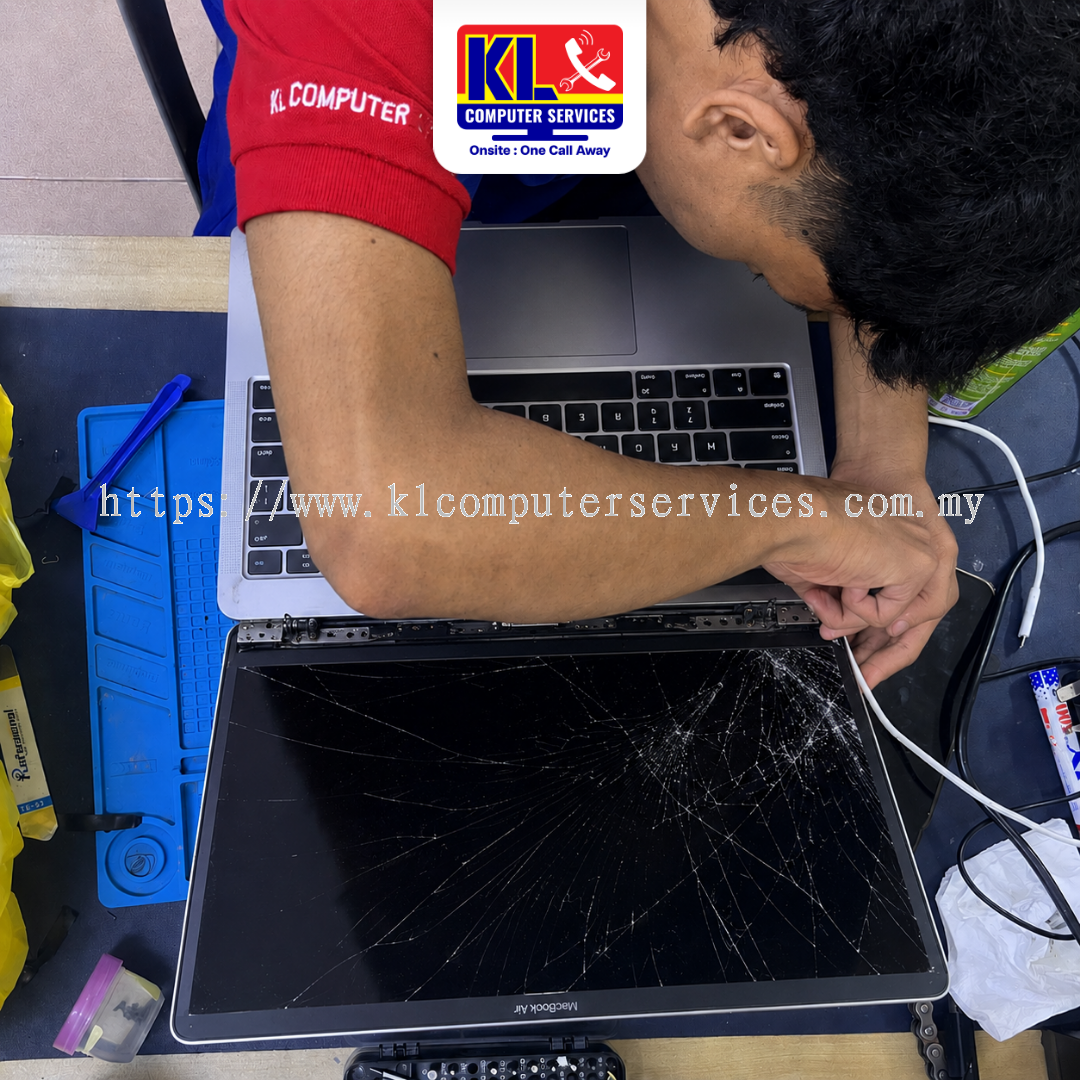
MacBook screen cracked, showing vertical lines, or completely black while the keyboard still lights up? In most cases, your MacBook is not ruined — it’s just showing a specific, fixable display issue. KL Computer Services (KLCS) provides professional MacBook LCD replacement and comprehensive MacBook repair services across four branches in Kuala Lumpur, including a Setapak branch serving Gombak residents directly, every single week.
We diagnose every MacBook display first before any repair work begins, so you know exactly what is wrong before you decide to proceed. WhatsApp or drop by any of our branches in Setapak, Jalan Klang Lama, Cheras Pandan Jaya, or Ampang Pandan Indah for a quick assessment. Customers from Gombak are just a short drive from our Setapak branch.
Our MacBook LCD replacement service covers all common display complaints across our walk-in customers in Danau Kota, Kuchai Lama, Pandan Jaya, Pandan Indah, and Gombak. If your laptop shows any of the following symptoms, it can usually be fixed with a fresh screen replacement.
Most people assume a dark or glitching MacBook screen means the entire laptop is dead, but in reality, display issues almost always come down to a single damaged part. Inner LCD panels crack easily when the lid is closed on a small object like a webcam cover, pen, or staple. Flickering and black screens often point to a worn display flex cable near the hinge or a damaged backlight module.
Customers around Setapak, Gombak, Kuchai Lama, Cheras, and Ampang who bring their MacBooks in promptly get a fast, reliable solution. Your motherboard, storage, and personal files remain completely safe underneath. Getting the screen assessed early prevents further strain and saves you from buying a costly new laptop.
How you handle your MacBook right after a screen issue appears can prevent bigger problems down the line. Avoid these common mistakes when your screen starts acting up.
Not sure if your MacBook needs a quick cable adjustment or a full display panel replacement? Check our FAQ page, or contact us directly and our technicians will guide you.
Whether you are dropping by from Taman Melati, OUG, Pandan Perdana, or Taman Nirwana, our technicians will walk you through the diagnosis clearly. If you cannot visit us in person, we also offer a door-to-door IT repair service covering KL and Selangor.
Final turnaround and replacement cost depend on your specific MacBook model (Air or Pro) and display assembly type.
Most standard MacBook LCD replacements range from minor hinge or flex servicing up to full Retina panel installations. Prices vary based on whether your machine uses Intel or Apple Silicon (M1, M2, M3) processors. WhatsApp us your model number for an exact quote tailored to your device.
| Repair Type | Est. Turnaround |
|---|---|
| MacBook Display Diagnosis | Same day |
| Standard MacBook Air Screen Replacement | Same day – 1 working day |
| MacBook Pro Retina LCD Replacement | Same day – 2 working days |
| Display Flex Cable & Hinge Servicing | 1 – 2 working days |
| Special Order / Custom Model Assembly | 2 – 4 working days |
WhatsApp us your issue for a clear estimate before bringing your laptop in.
Our LCD replacement service covers the full lineup of Apple MacBook laptops. Customers from Wangsa Maju, Taman Desa, Taman Shamelin, and Taman Maluri trust us with their machines every day.
KL Computer Services operates four service centres across Kuala Lumpur, with our Setapak branch serving customers from Gombak. Find the nearest branch below — each location also covers the surrounding areas listed next to it:
| Branch | Address | Phone / WhatsApp | Operating Hours | Also Serving |
|---|---|---|---|---|
| Setapak (Taman Danau Kota) |
First Floor, 36-1, Jalan 2/23a, Taman Danau Kota, 53300 KL | 017-550 1914 | Mon–Fri: 9am–8pm Sat–Sun: 9am–7pm |
Keramat, Wangsa Maju, Sentul, Taman Melati, Setiawangsa, Genting Klang, Gombak |
| Jalan Klang Lama (Kuchai Lama) |
First Floor, 2-1 Jalan Indrahana 1, Off Jalan Kuchai Lama, 58200 KL | 018-944 1914 | Mon–Fri: 9am–8pm Sat–Sun: 10am–7pm |
OUG, Taman Desa, Sri Petaling, Bukit Jalil, Old Klang Road, Bandar Tasik Selatan |
| Cheras (Pandan Jaya) |
First Floor, 34-1A, Jalan Pandan 2/1, Pandan Jaya, 55100 KL | 018-245 1914 | Mon–Fri: 9am–7pm Sat: 10am–7pm Sun: Closed |
Taman Shamelin, Maluri, Taman Connaught, Pandan Perdana, Cheras Baru |
| Ampang (Pandan Indah) |
First Floor, 13M Jalan Pandan Indah 4/2, Ampang, 55100 KL | 018-405 1914 | Mon–Fri: 9am–8pm Sat–Sun: 10am–7pm |
Taman Maluri, Taman Nirwana, Pandan Mewah, Taman Dagang, Ampang Jaya, Bukit Antarabangsa |
Search “KL Computer” on Waze or Google Maps to navigate directly to us. We also handle a wide range of other Apple and PC services — including specialized MacBook repair services, MacBook battery replacement, and general computer servicing.
While you are here, our KL branches also handle:
Managing MacBooks or computers for your company? Visit klcomputer.my, our dedicated site for outsourced IT support and corporate maintenance across the Klang Valley.
 Malaysia
